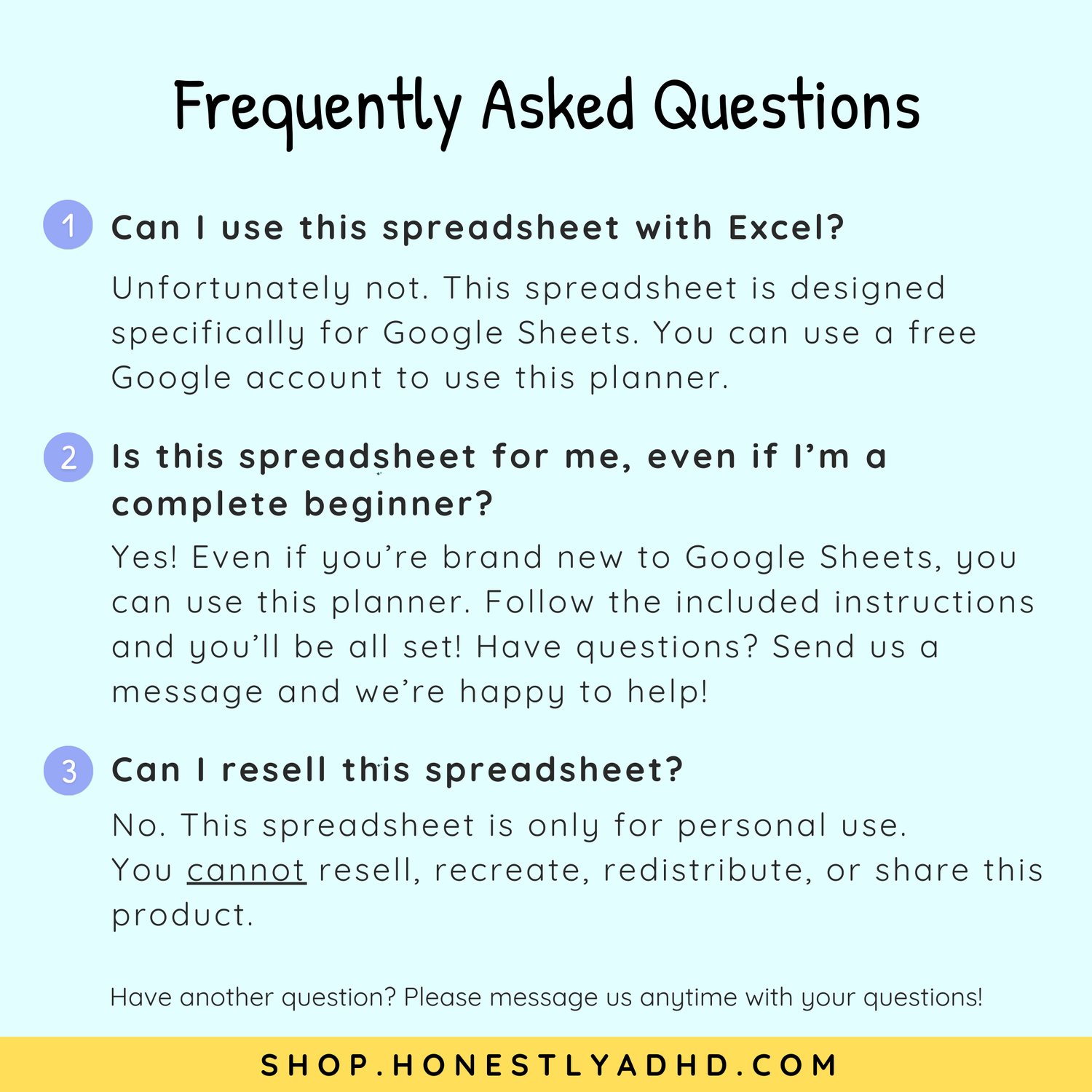




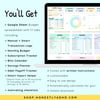
Ultimate ADHD Budget Spreadsheet | Motivational Budgeting & Financial Planning
BLACK FRIDAY SALE - 50% off through 11-30-26
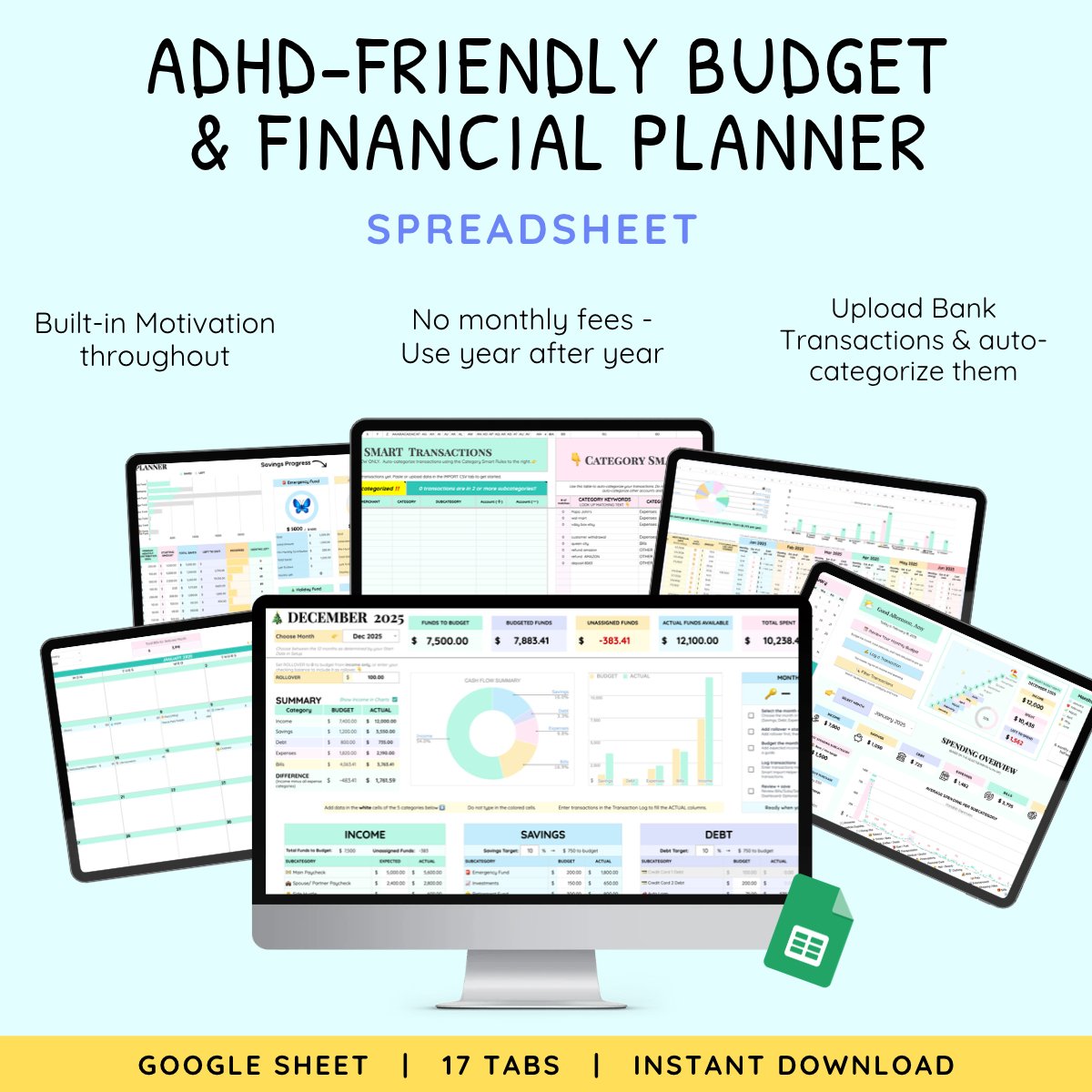
A motivational, ADHD-friendly system for budgeting, savings, debt payoff, expense tracking, and financial goals.
Keep all your money in one simple, visual home—without monthly app fees.
Finally, a budget that works with your ADHD brain. If traditional budgeting makes your brain glaze over… same.
This Google Sheet budget spreadsheet was made by ADHDers, for ADHDers — and for anyone who's tired of tedious budgeting or monthly fees. It's visual, flexible, and built to do the heavy lifting so you can stay on top of your money without burning out.
What makes it ADHD-friendly
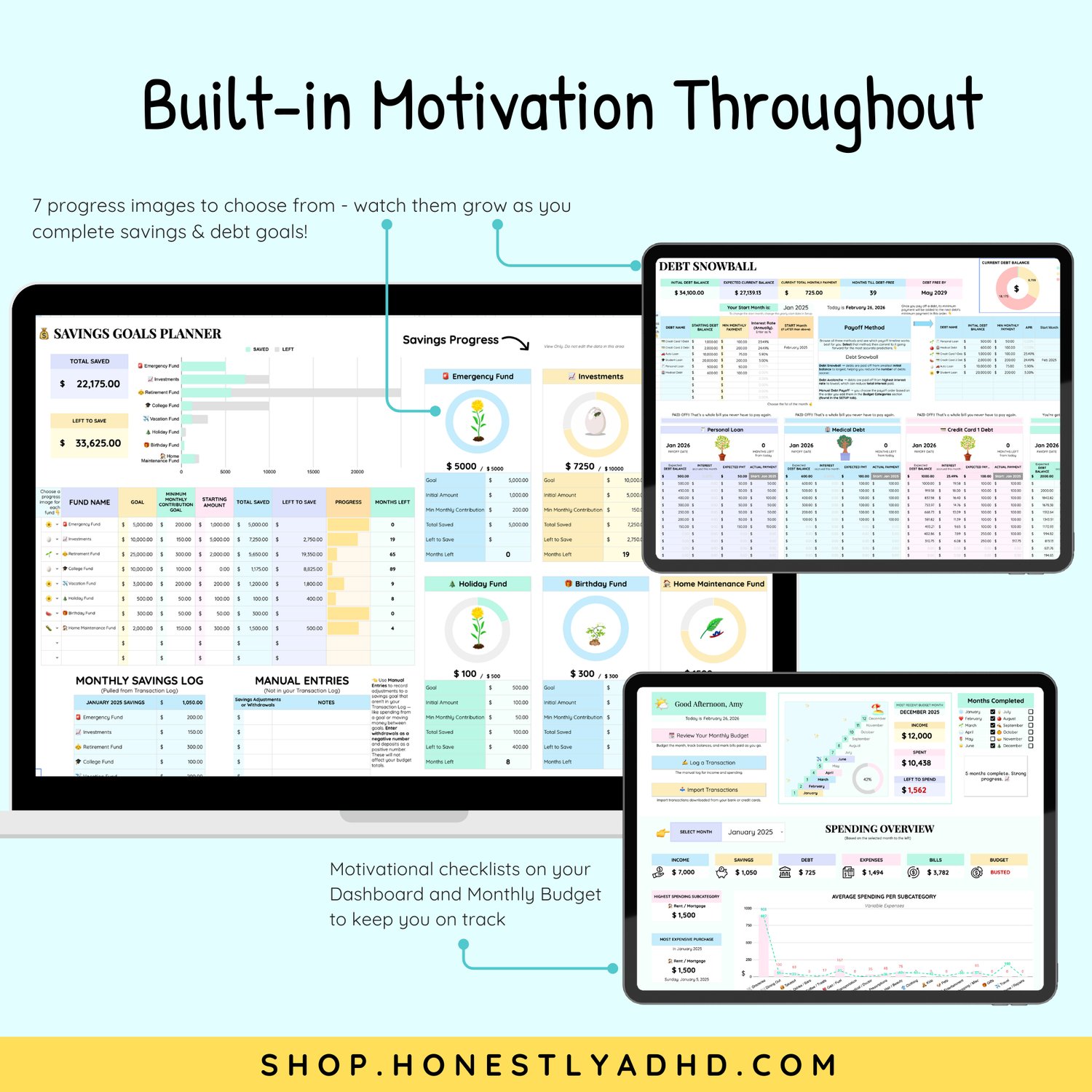
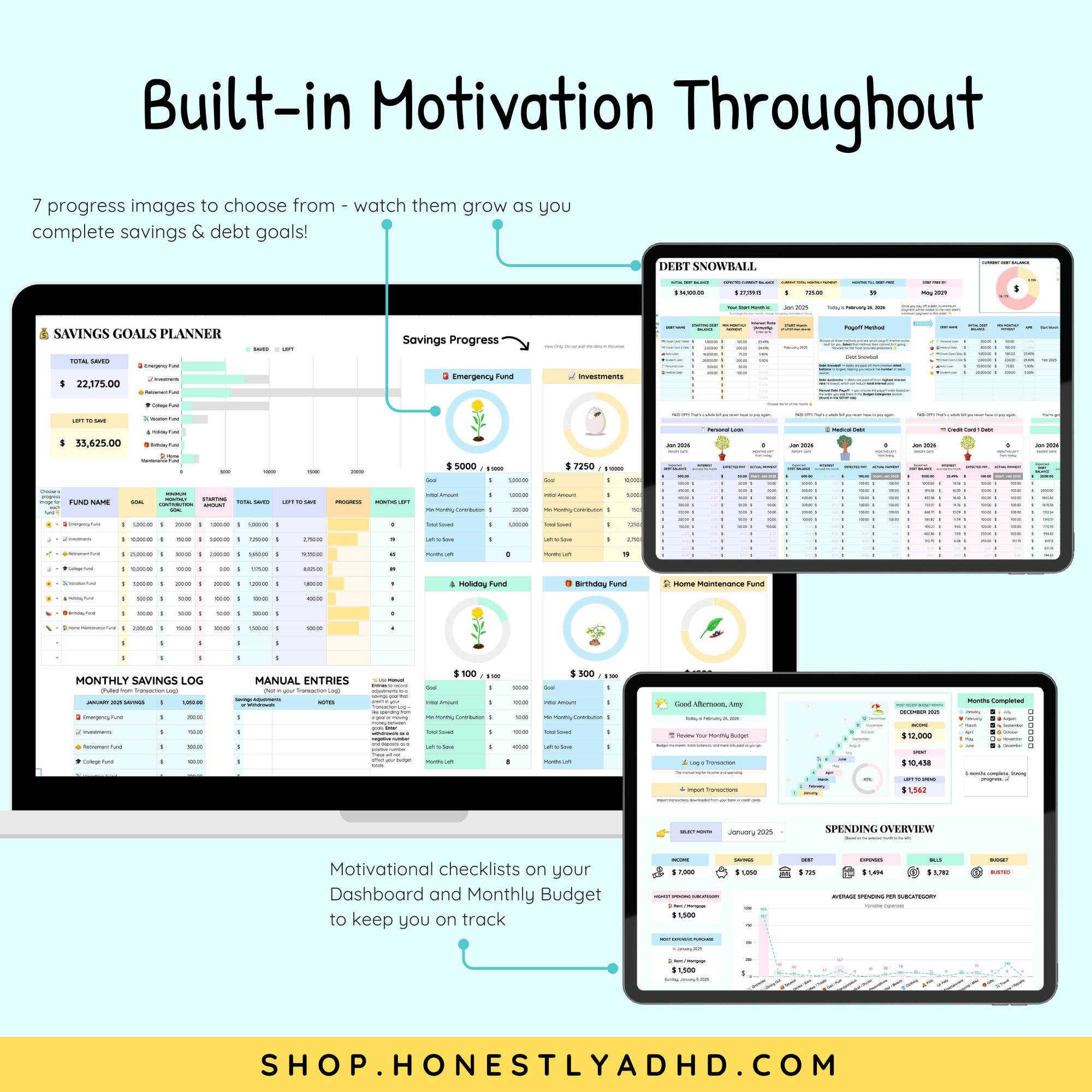
- Visual progress bars, dopamine-boosting icons, and motivational checklists to keep you engaged
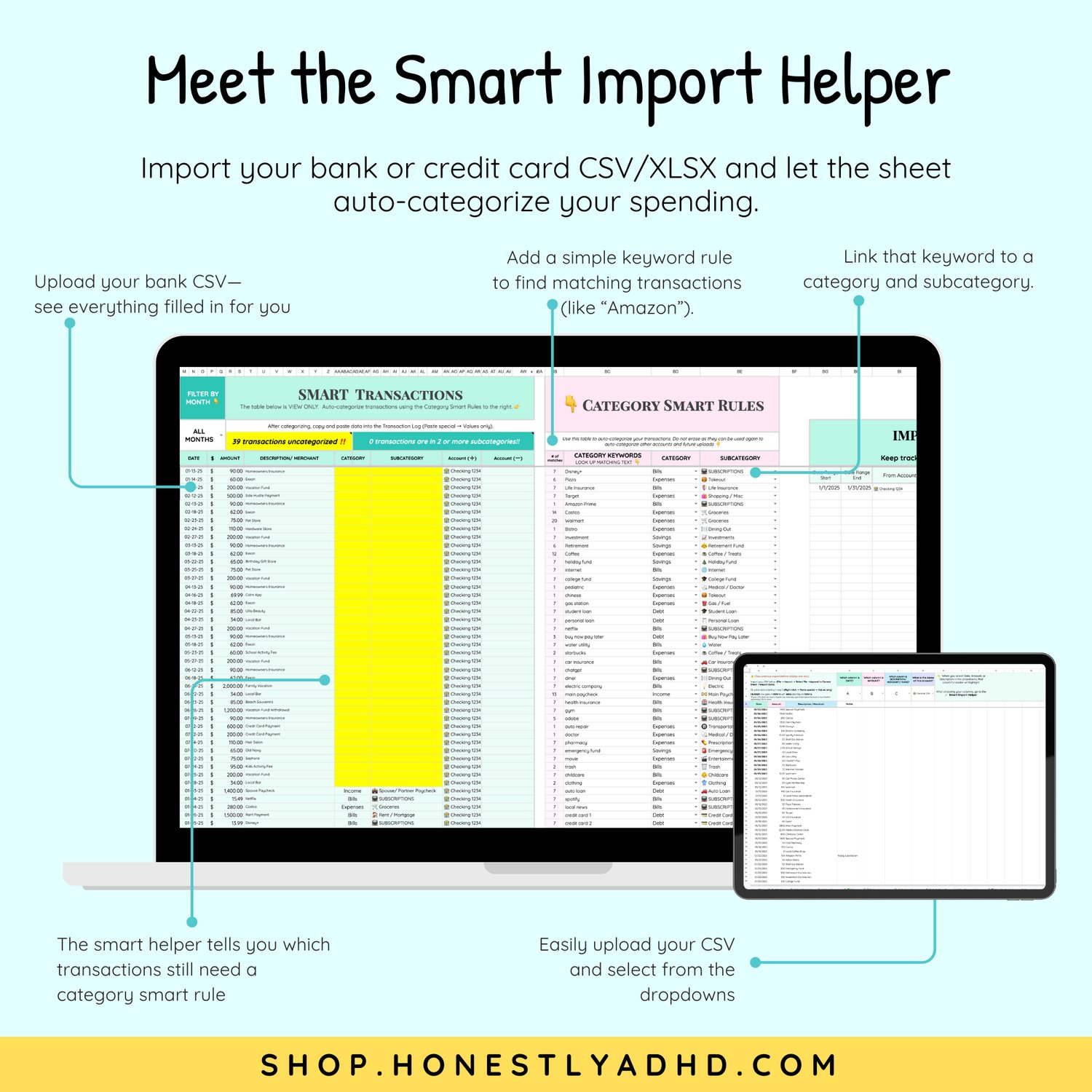
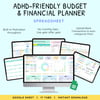
- Two flexible ways to log transactions: type entries manually or import data from your bank and auto-categorize using our Category Smart Rules.
- Log your income and spending and the rest of the spreadsheet updates automatically — no need to remember to update five different places
- A Quick Start Checklist gets you up and running fast
- White input cells show you exactly where to type — colored cells handle all the math
- Check in daily, weekly, or once a month — whatever pace works for you
- Reuse year after year — make a copy of the sheet, then reset for a new year in one click — clears your transaction data while keeping everything you've set up: categories, accounts, bills, subscriptions, & smart category keyword rules.
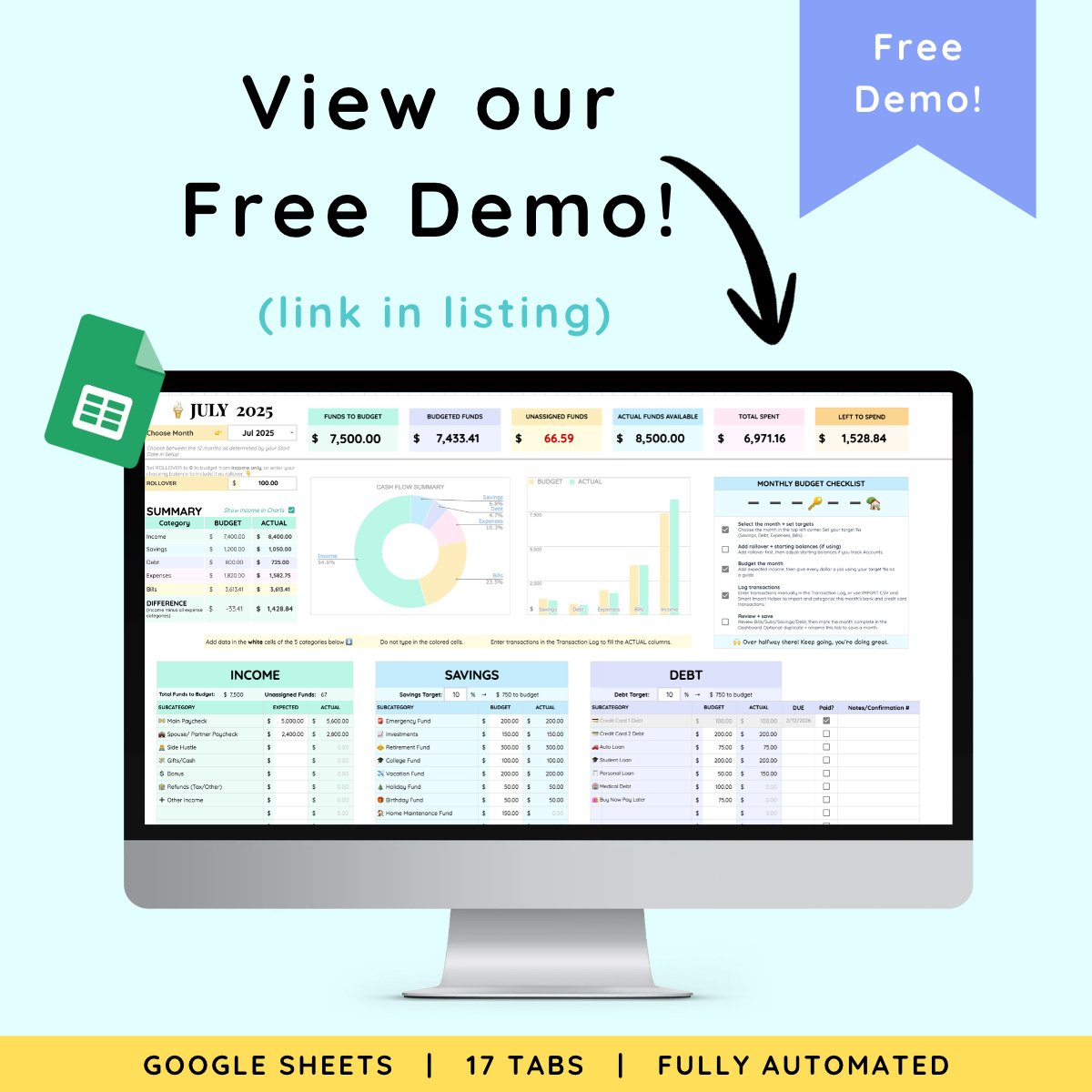
View-Only Demo (Try Before You Buy)
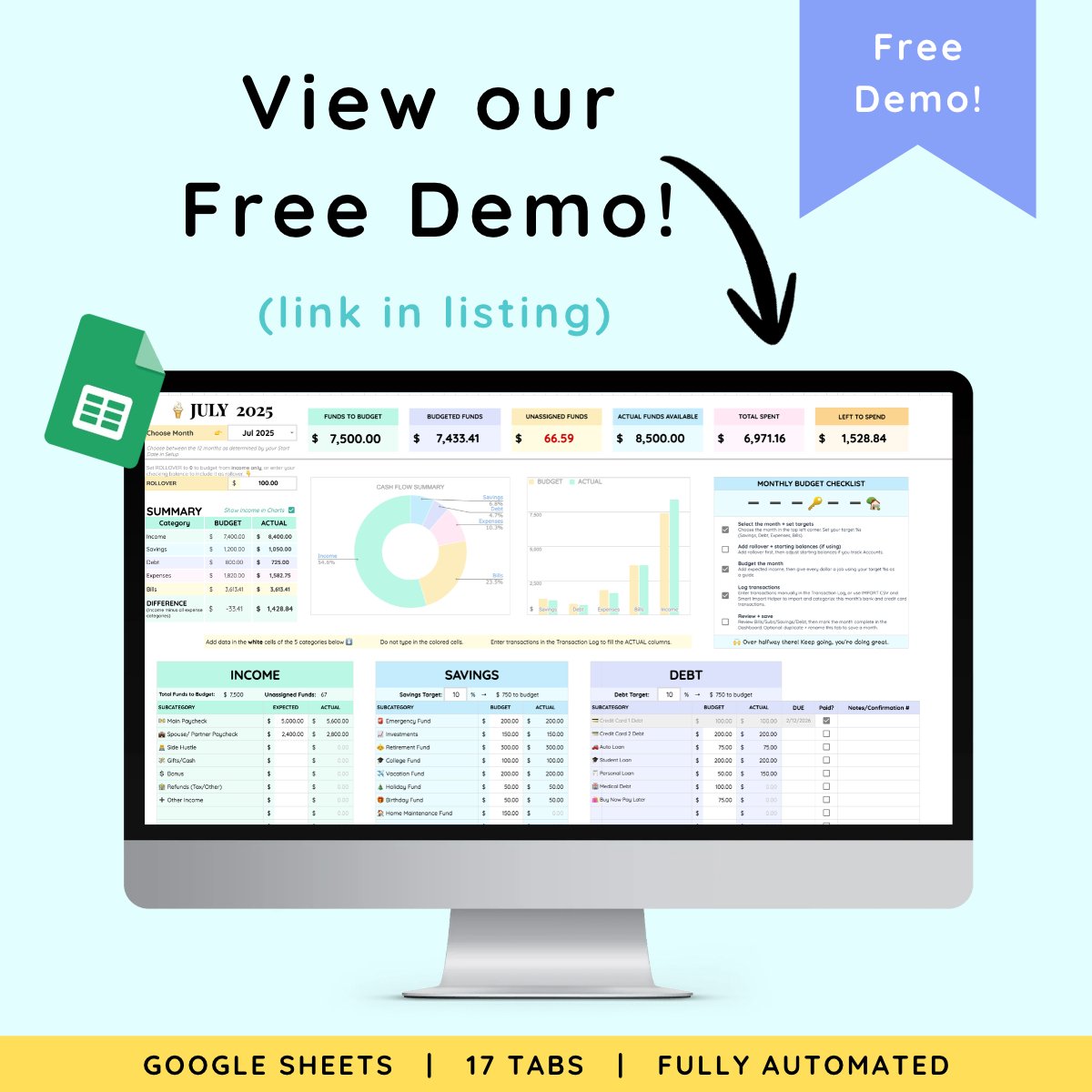
View all 17 tabs in the spreadsheet:
👉 View-Only DEMO Link
This preview is read-only. Some formulas, features, and dropdowns have been removed and will not function normally, and all numbers are example data. It’s meant to show you the layout and flow.
The full version unlocks:
- All formulas & automations
- Working dropdowns and checkboxes
- Smart Import Button
- Savings & Debt tracking
- An interactive demo (inside the paid file) where you can safely practice without touching your real money data
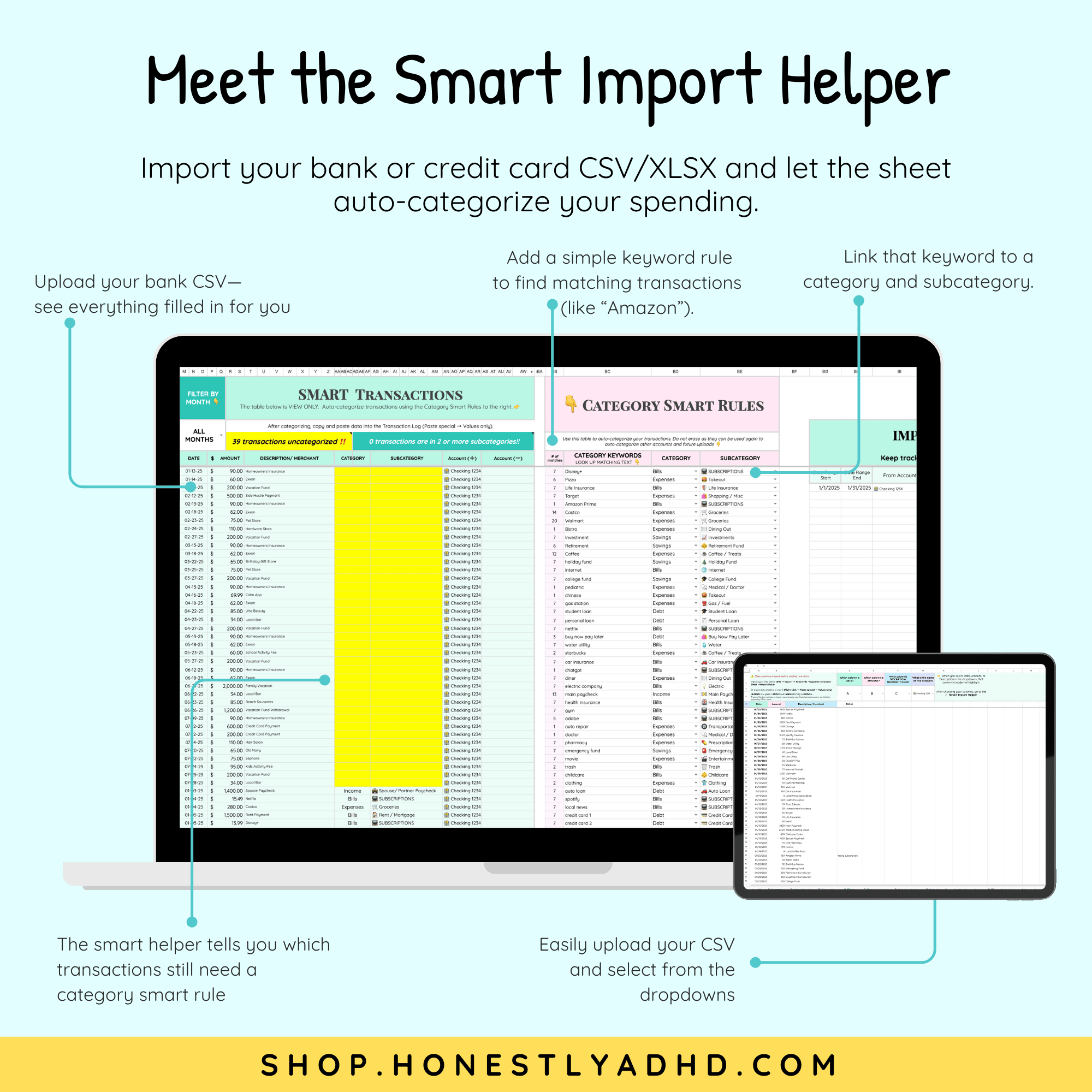
🪄 Smart Transaction Log (Optional, but Powerful!)
Tired of manual entry? Import your bank transactions as a CSV file, then set up simple keyword rules like:
- "Walmart" → Expenses → Groceries
- "Spotify" → Bills → Subscriptions
The more rules you build up over time, the faster future imports become. Import once a week or once a month and let the sheet catch up for you. This can save you hours.
🔁 How it Works
Set it up once, then just log your transactions. Your transactions automatically update:
- 📅 Monthly Budget
- 📊 Dashboard summary
- 📈 Year View & Cash Flow
- 💰 Savings Goals progress
- 📉 Debt Payoff progress
- ✅ Bills & 🔁 Subscriptions totals
- 🔍 Filtered spending views
Whether you’re saving, paying off debt, or just wondering where your money keeps disappearing, this spreadsheet gives you one clear place to track it all.
💸 One-Time Purchase, No Subscription
You’ll use this Budget Spreadsheet in Google Sheets, so all you need is a free Google Account. Duplicate it year after year.
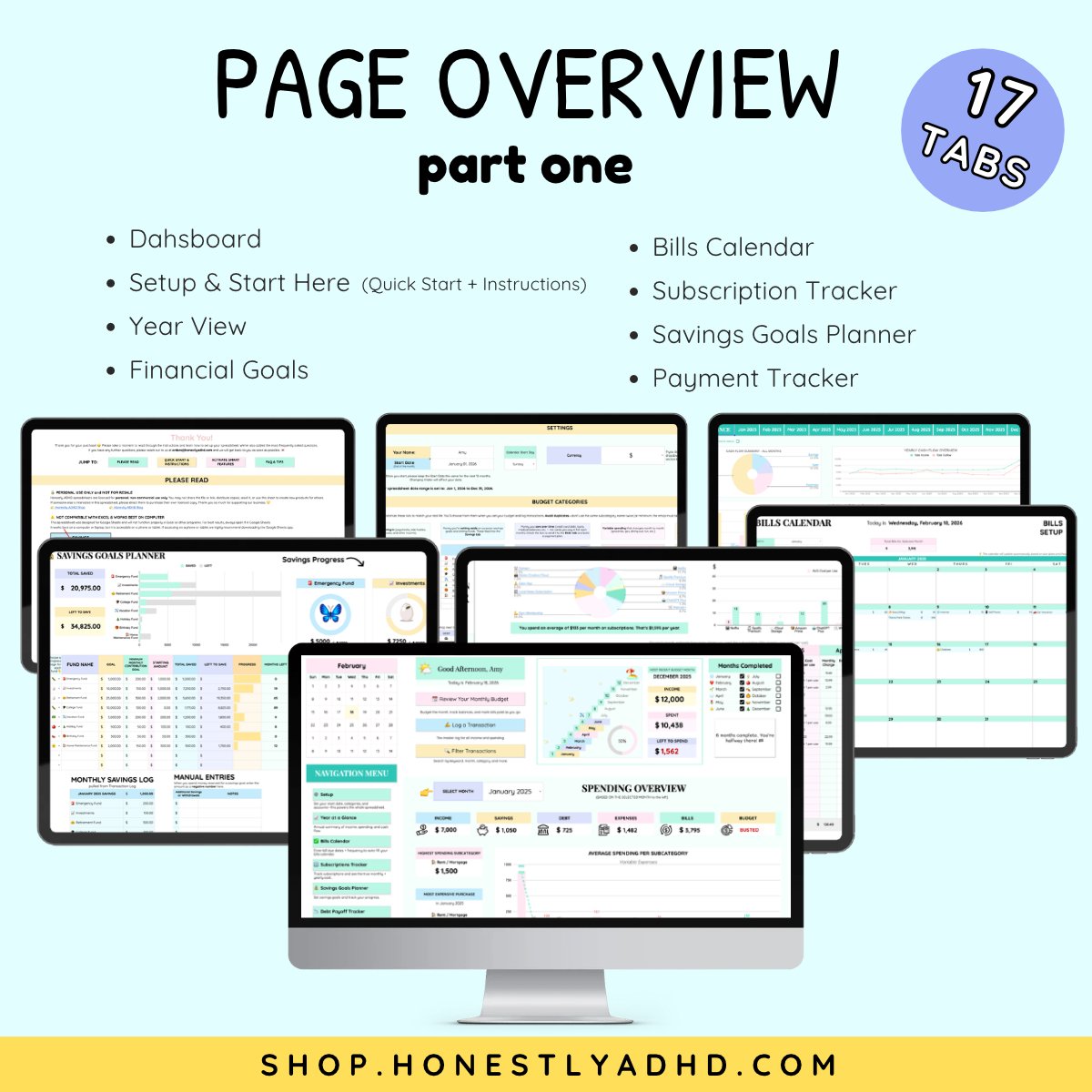
What’s Inside the ADHD Budget Spreadsheet – 17 Tabs
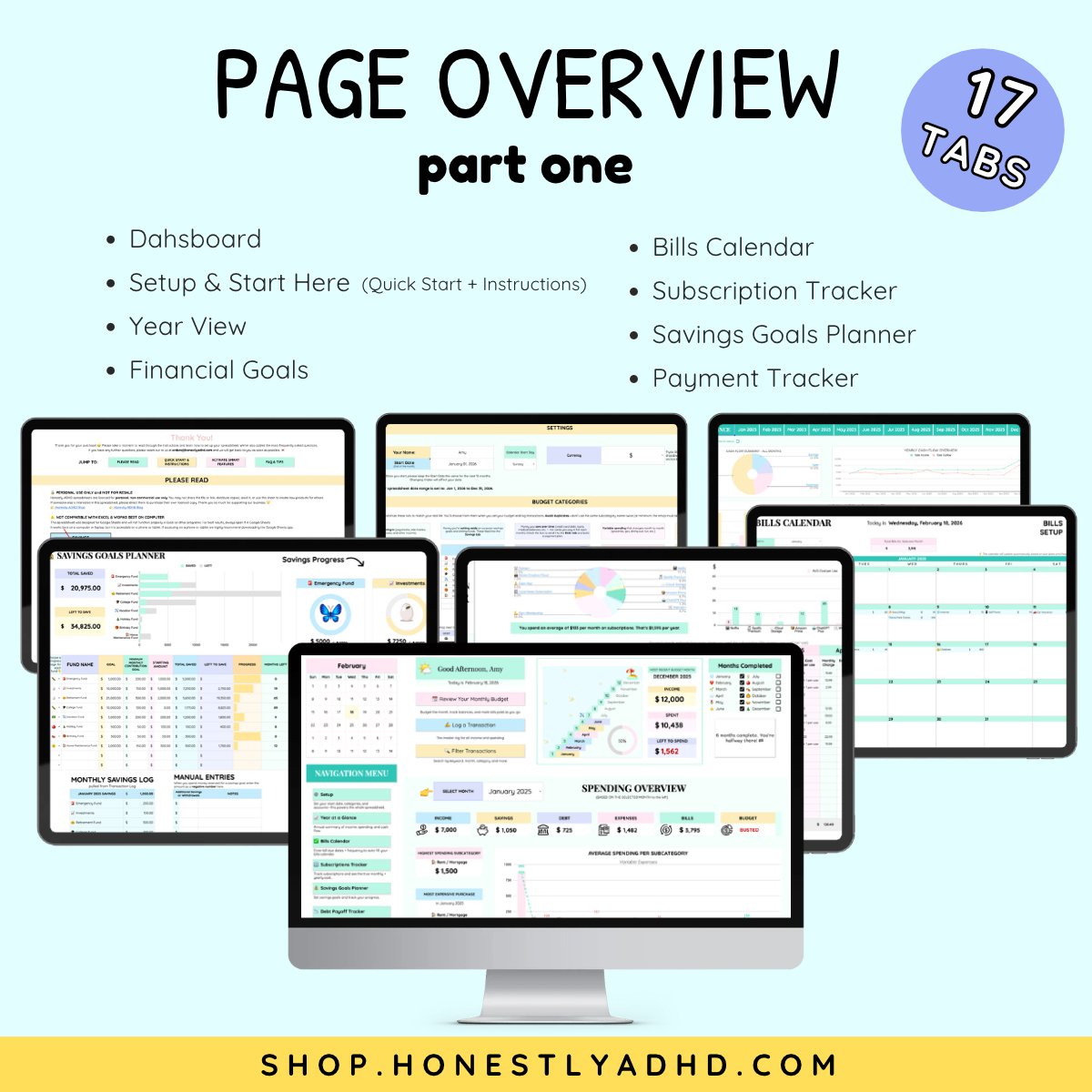
You’ll get a 17-tab budgeting system that works together as one hub:
📌 START HERE
- Quick Start checklist, step-by-step instructions, and FAQ. Most people are fully set up in just a few minutes using this alone.
⚙️ SETUP & INSTRUCTIONS
- Enter your start date, categories, accounts, and customization. You only have to do this once, then review once a year
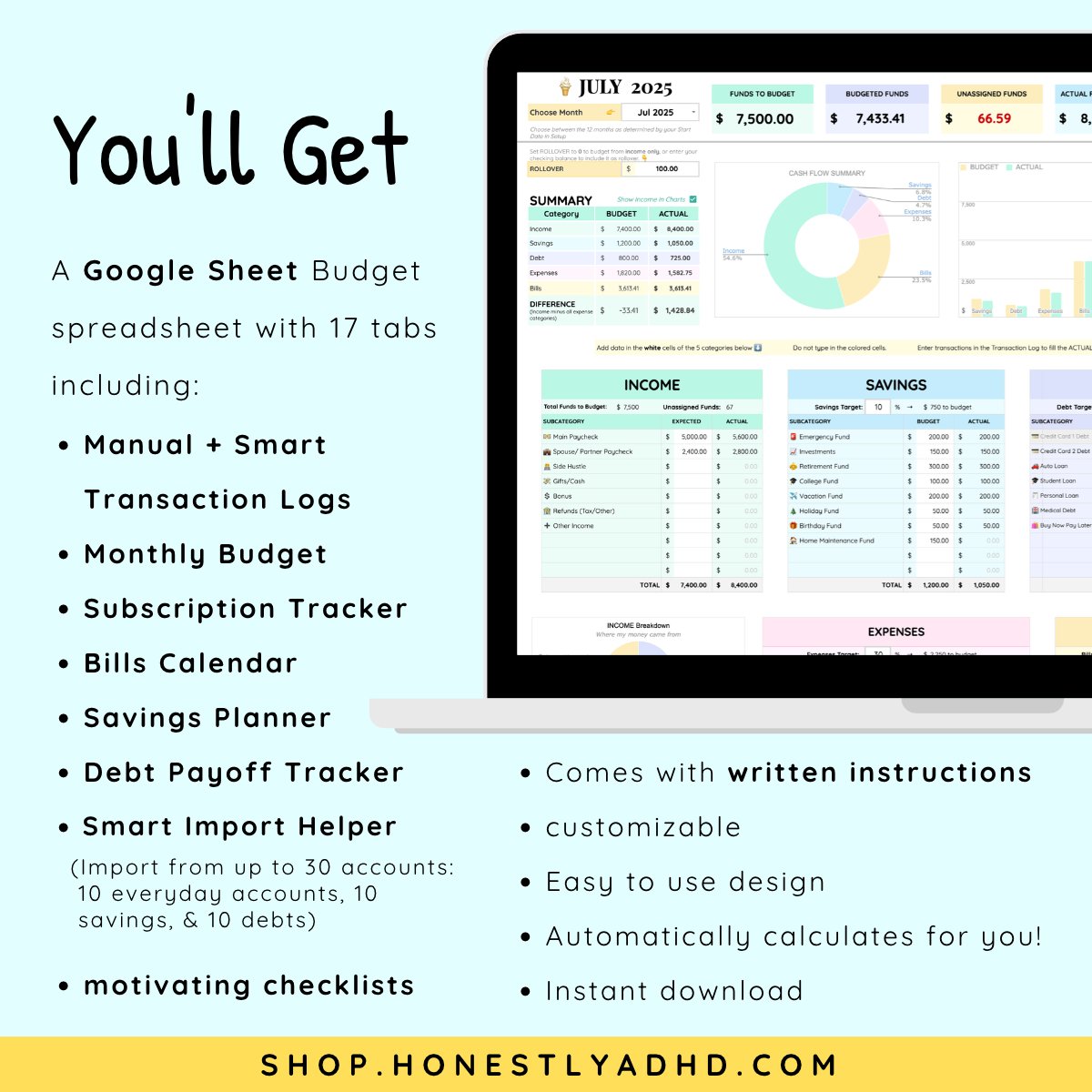
✅ Bills Calendar
- Enter each bill once with due date, amount, and frequency. The sheet feeds expected bill totals and due dates into your Monthly Budget.
🔁 Subscriptions Tracker
- Track every subscription with renewal dates, costs, and optional cost-per-use so you can see what's actually worth keeping.
📅 Monthly Budget
- Plan a budget for income, bills, expenses, savings, and debt for each month. Track account balances and check off upcoming bills as they come.
💰 Savings Planner
- Set up savings goals with target amounts and monthly contributions. Visual progress bars update automatically as you log transactions.
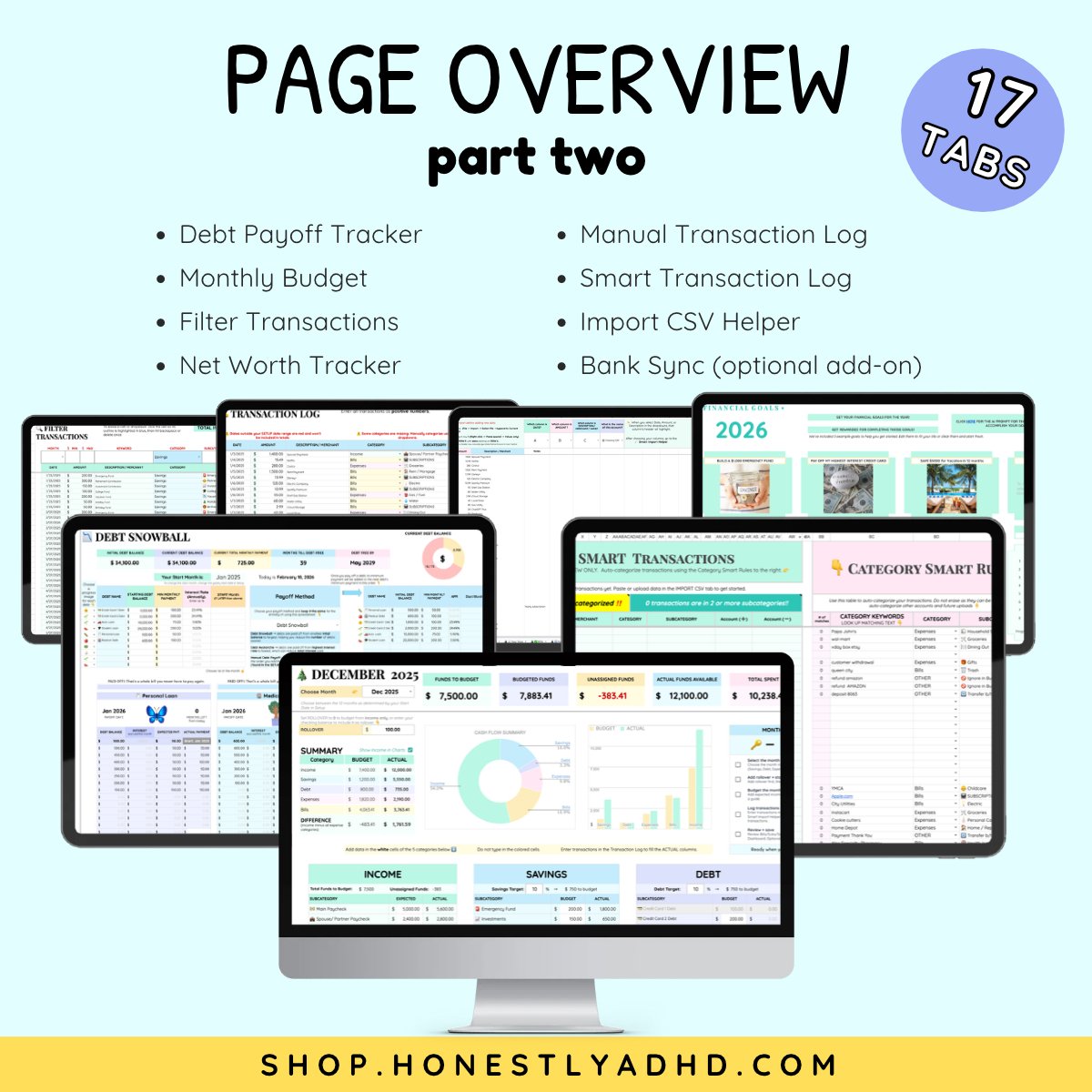
📉 Debt Payoff Tracker
- Track each debt with balance, APR, and minimum payment. Choose Snowball, Avalanche, or Manual order and see your estimated debt-free date.
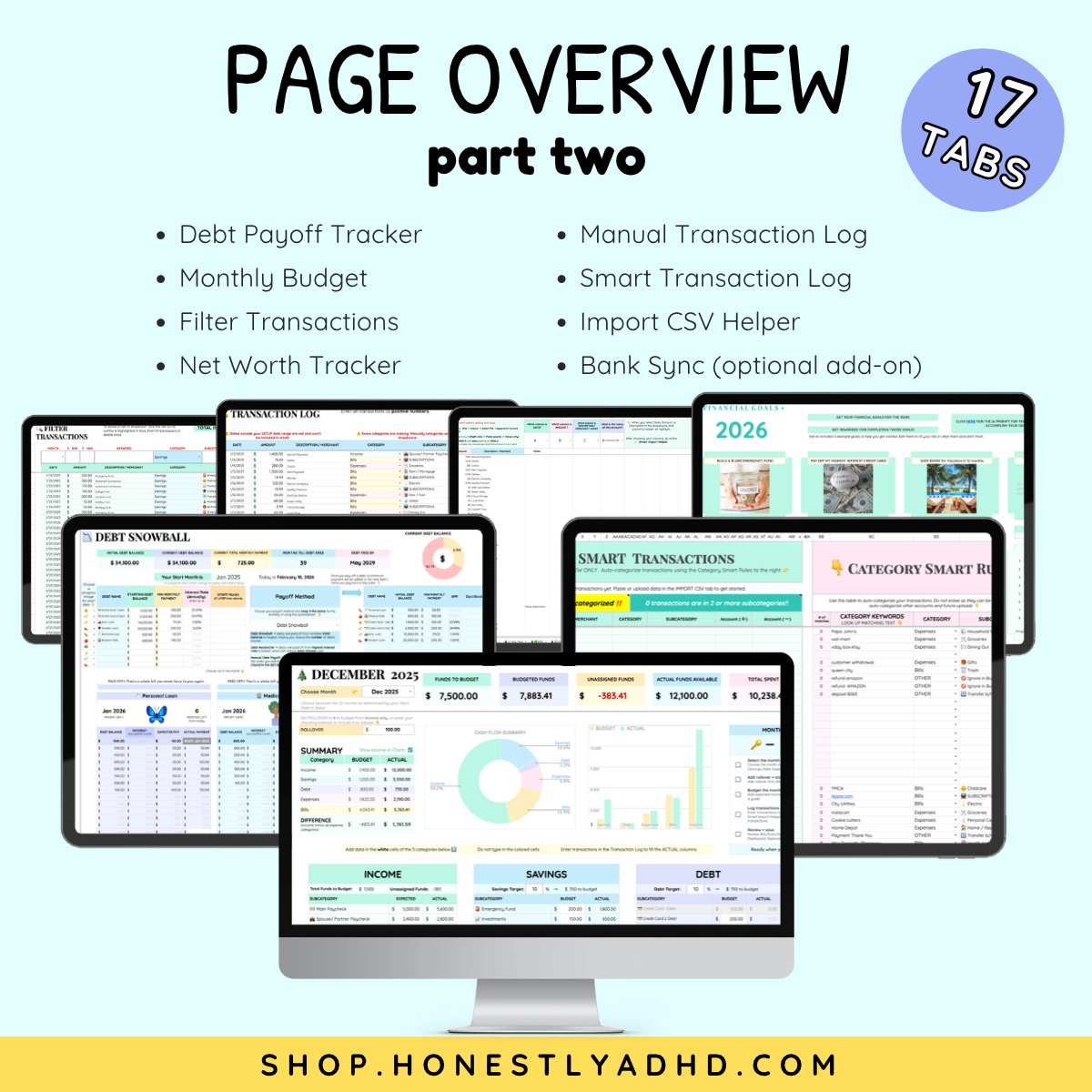
✍️ Manual Transaction Log
- Your day-to-day manual log for income and spending. Enter transactions and categorize using simple dropdowns.
🪄 Smart Transaction Log
- Where your imported transactions live. Create simple keyword rules to match your merchant descriptions and the sheet auto-categorizes everything for you. The more rules you build up over time, the faster future imports become.
📥 Import CSV
- Download a transaction file from your bank and paste or import it here. Click Smart Import to send everything to your Smart Transaction Log in the right order and format.
🔍 Filter Transactions
- Filter by month, amount, keyword, category, subcategory, or account. See totals for filtered results to answer “Where is my money going?” quickly.
📊 Dashboard
- Month-at-a-glance view with summaries, charts for spending/savings/debt, yearly progress visuals, and a small wins checklist.
📈 Year View & Cash Flow
- See all 12 months side by side. Spot patterns, track trends, and see what's left over each month.
💸 Financial Goals Planner
- Set financial goals, break them into steps, and track your progress.
- Built-in AI prompt to break any goal into 8 actionable steps
🎉 UPDATE October 2026: Version 2 is here!
This spreadsheet just got its biggest update yet, and every purchase comes with free lifetime updates. Buy it once, and every future version is yours at no extra cost. If you already own it, your Version 2 download link was sent to your email.
What’s new in Version 2 (in addition to the tabs listed above below):
✅ Payment Tracker: see every bill, payment and paycheck due this period in one list, check them off as you go, and watch your running balance so you always know what’s safe to spend.
🏦 Net Worth tracker: type your balances once a month and watch your net worth climb.
📊 Budget Health Check: a scorecard that shows how close you stayed to your plan each month
🔗 Bank Sync (optional)
Connect your banks through a third-party plugin (separate subscription, currently $5 a month) and your transactions sync straight into your Smart Transaction Log, sorted by your Category Smart Rules.
Honestly ADHD isn't affiliated with with the optional plugin and earns nothing from it. The spreadsheet works fully without it, with CSV import and manual entry built in. We recommend starting with CSV and adding Bank Sync later if you have a lot of accounts.
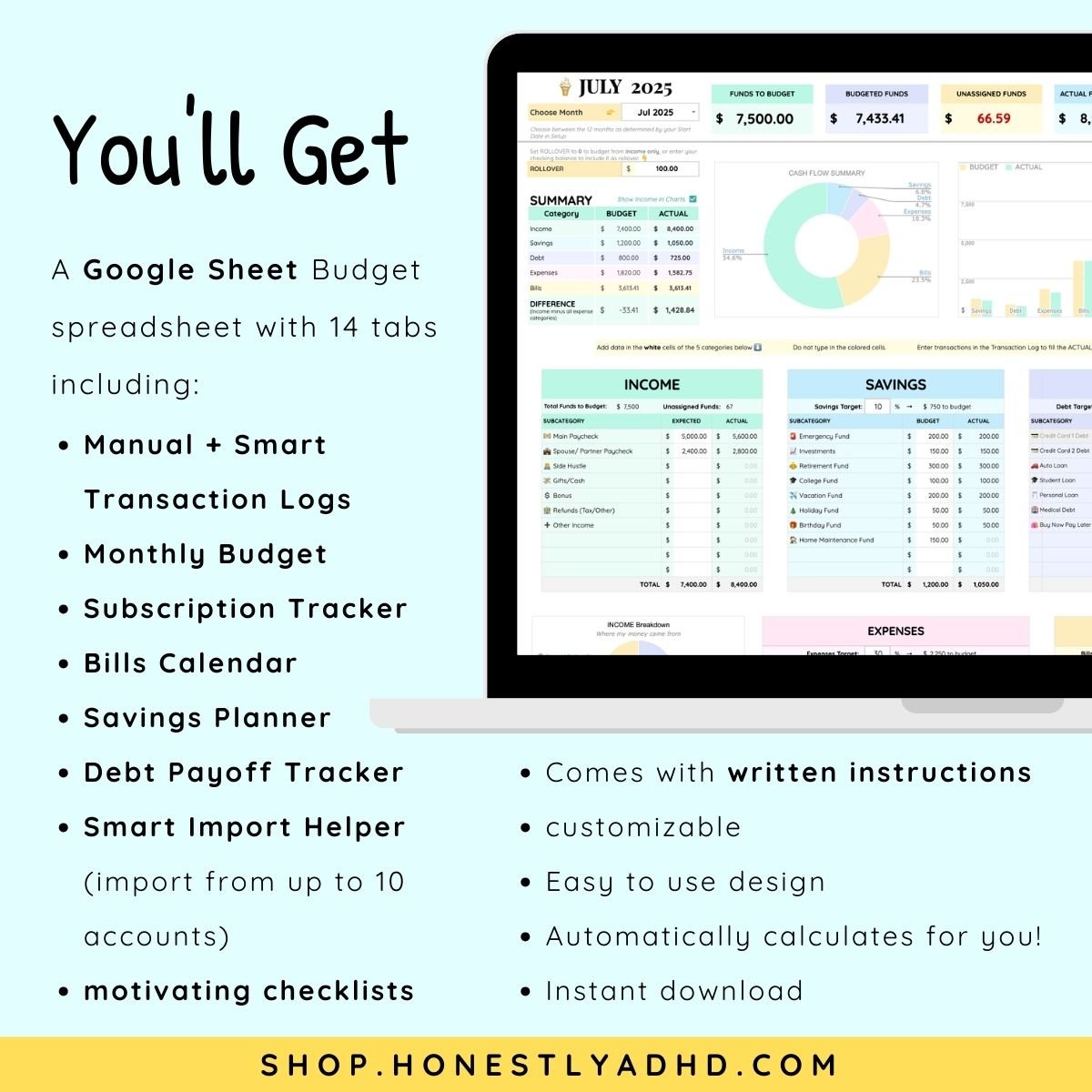
What You’ll Receive
You’ll get:
- 1 × Access PDF with:
- Link to your Ultimate ADHD Budget & Financial Planner (14-tab Google Sheet)
- Link to your interactive demo (inside the paid file)
- Lifetime personal use of the template you copy into your own Google Drive
- Built-in Quick Start Checklist inside the sheet – most people can get fully set up in just a few minutes using this alone
- PDF Where to Start Guide: a short, friendly guide to get you going. The full instructions live inside the spreadsheet on the START HERE tab, with a Quick Start checklist, step-by-step setup and FAQ.
- “How to Download Transactions from Your Bank or Credit Card” PDF guide so you can export CSV/ XLSX files from common banks and use them with our Smart Import button.
What You’ll Need
- A free Google account
- A computer or laptop for initial setup
- (You can view/use it on tablet/phone afterward, but it works best on a computer.)
How to Access
- Log in to your Google Account
- Open the Access PDF from your purchase
- Click the link to the Google Sheet
- Go to File → Make a copy
- Your personal spreadsheet opens in your Google Drive
- Rename it and start customizing!
⚙️ Google Authorization Required (One-Time Setup)
This spreadsheet uses custom Google Apps Script (Google's built-in automation tool) to power the Smart Import and Reset for a New Year buttons. The first time you set up the spreadsheet, Google will show a quick standard security screen asking you to authorize the script to run inside your own copy of the spreadsheet. Step-by-step instructions are included inside the sheet to walk you through it.
Important Info
- This is a digital product. No physical item will be shipped.
- Because files are delivered instantly, no refunds or cancellations can be processed after purchase.
- Personal use only: please don’t resell, share, or distribute the template or files.
If you have questions or need help getting set up, please message us at orders@honestlyadhd.com—we’re happy to help you get going. 💛